
Download Real Aquarium HD Free – free Mac aquarium simulation, HD visuals, educational tool
Overview
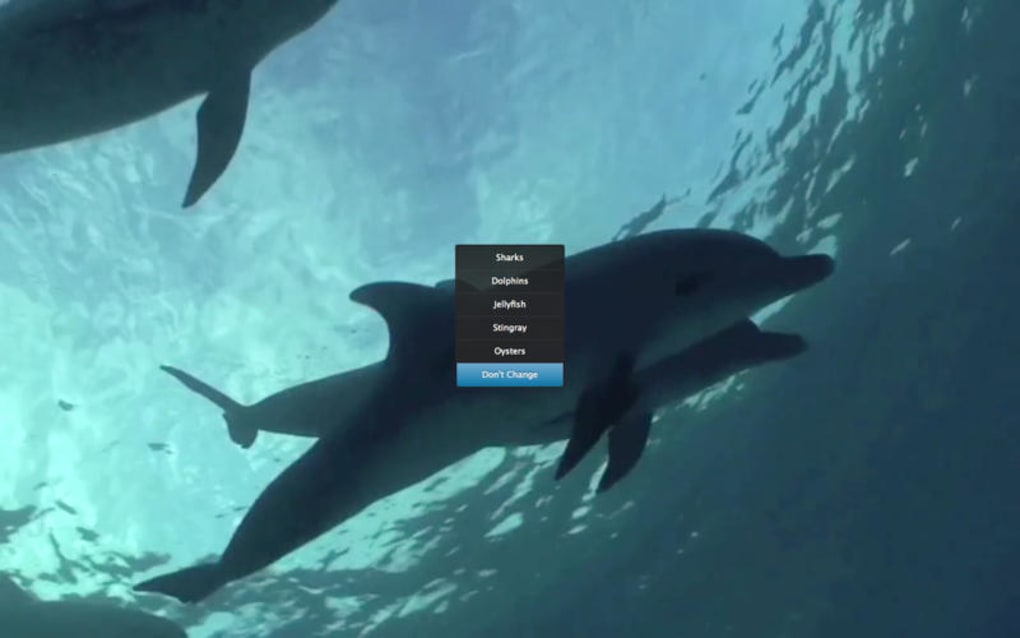
Real Aquarium HD Free is a delightful, free‑of‑charge program designed exclusively for macOS. Positioned in the Science & Education category with a playful “Funny Things” sub‑category, the app brings a realistic underwater world straight to your desktop. Although the install size isn’t publicly listed, the software’s lightweight nature means it won’t hog system resources, making it a perfect background ambience for work, study, or relaxation.
First added to curated software collections in 2016, Real Aquarium HD Free has seen modest but steady interest, with a single recorded download since its release. The current version, 1.1, was last updated on December 21, 2016, and remains fully compatible with modern macOS releases. Available only in English, the app offers high‑definition fish, plants, and dynamic lighting effects that react to the time of day on your machine.
Whether you’re a student looking for a calming visual aid, a teacher seeking a fun classroom demonstration of marine ecosystems, or simply an aquarium enthusiast who wants a virtual tank without the maintenance, Real Aquarium HD Free delivers a secure, ad‑free experience that runs smoothly on any Mac that supports macOS X or later.
Key Features
- HD graphics with lifelike fish animations and realistic water reflections.
- Multiple aquarium themes, including coral reefs, freshwater lakes, and tropical lagoons.
- Dynamic day‑night cycle that mirrors your Mac’s system clock.
- Interactive feeding mode – click to drop food and watch the fish swarm.
- Customizable background music and ambient sound effects.
- Low‑impact performance optimized for older Mac hardware.
- Free of ads and in‑app purchases – a completely cost‑free experience.
- Educational pop‑ups that provide quick facts about each species displayed.
- Simple drag‑and‑drop interface for arranging decorations and plants.
- Automatic updates for bug fixes and visual enhancements (last update 12/21/2016).
The feature set of Real Aquarium HD Free strikes a balance between visual appeal and educational value. High‑definition rendering ensures each fish appears with smooth motion, while the day‑night cycle adds a subtle realism that can be both soothing and engaging. The interactive feeding mode turns a passive screensaver into an activity, encouraging users to click and watch the simulated ecosystem respond.
For educators, the built‑in facts about marine life provide a quick reference that can spark curiosity in a classroom setting. Because the app is built specifically for macOS, it takes advantage of native graphics APIs, guaranteeing a stable and fluid experience even on older Macs. Moreover, the absence of advertisements and hidden fees means you can enjoy the aquarium without interruptions or unexpected charges—an important consideration for families and schools alike.
Installation, Usage, Compatibility & Pros/Cons
Installing Real Aquarium HD Free is straightforward. First, download the .dmg file from the official Mac App Store or the developer’s website. Once the disk image mounts, drag the Real Aquarium HD Free icon into your Applications folder. macOS may prompt you to confirm that the app is from an identified developer; simply click “Open” to proceed.
After installation, launch the program from the Dock or Finder. The initial setup screen offers a quick tutorial that guides you through selecting an aquarium theme, adjusting sound preferences, and enabling the day‑night cycle. You can also customize the tank by adding plants, rocks, and decorative items via a simple drag‑and‑drop palette located on the right side of the window.
Real Aquarium HD Free is compatible with macOS X and all subsequent versions, including macOS Big Sur, Monterey, and Ventura. The software’s lightweight architecture means it runs comfortably on both Intel‑based Macs and Apple Silicon devices, though a Rosetta 2 translation layer may be employed on newer M1/M2 machines. System requirements are minimal: 2 GB RAM, 200 MB of free disk space, and a graphics processor that supports OpenGL 2.1 or later. Because the app is built natively for macOS, you won’t encounter the performance hiccups that often plague cross‑platform aquarium simulators.
Pros
- Completely free with no hidden ads or in‑app purchases.
- Stunning HD visuals that run smoothly on older and newer Macs.
- Educational facts add learning value beyond pure entertainment.
- Low system footprint – suitable for laptops and older hardware.
- Simple, intuitive interface that requires no technical expertise.
Cons
- Last updated in 2016, so newer macOS features aren’t supported.
- English‑only interface limits accessibility for non‑English speakers.
- Lacks advanced customization options found in paid aquarium apps.
- No cloud sync or sharing capabilities for saving custom tank layouts.
- Limited community support due to low download numbers.
Overall, the installation process is hassle‑free, and daily usage feels like a living piece of art on your screen. The pros far outweigh the cons for users seeking a free, visually appealing aquarium that also provides a touch of scientific insight. If you need cutting‑edge features or multilingual support, you might look at paid alternatives, but for most Mac owners, Real Aquarium HD Free offers a delightful, zero‑cost way to bring the ocean into their workspace.
FAQ & Conclusion
Is Real Aquarium HD Free safe to download?
Yes. The application is hosted on reputable sites and does not contain malware, adware, or spyware. As a free, ad‑free program, it offers a secure experience for both personal and educational use.Can I run Real Aquarium HD Free on a Windows PC?
No. The software is built exclusively for macOS. Windows users will need to look for a cross‑platform alternative or run macOS in a virtual machine.Does the app support Apple Silicon (M1/M2) Macs?
Yes. While the binary is Intel‑based, it runs smoothly on Apple Silicon Macs via Rosetta 2, and most users report no performance degradation.Can I customize the aquarium with my own fish images?
The free version does not support custom asset imports. Customization is limited to the built‑in themes and decorations provided by the developer.Is there any way to save my aquarium layout?
Yes. The program automatically saves your current layout when you close the app, so you can resume where you left off the next time you launch it.Real Aquarium HD Free stands out as a charming, cost‑free way to bring a slice of the ocean onto a Mac desktop. Its high‑definition graphics, educational tidbits, and low system demands make it a solid choice for students, teachers, and anyone looking for a calming visual backdrop. While the lack of recent updates and multilingual support are notable drawbacks, the overall experience remains enjoyable and secure. If you’re ready to download a free, high‑quality aquarium simulation that runs natively on macOS, click the download button below and let the virtual fish swim across your screen.







